Desktop Cards
Desktop cards are a quick operation method provided by Next HiCar. You can quickly learn about app/service information, enter apps/services, and perform shortcuts provided by apps/services through these cards.
Card Categories
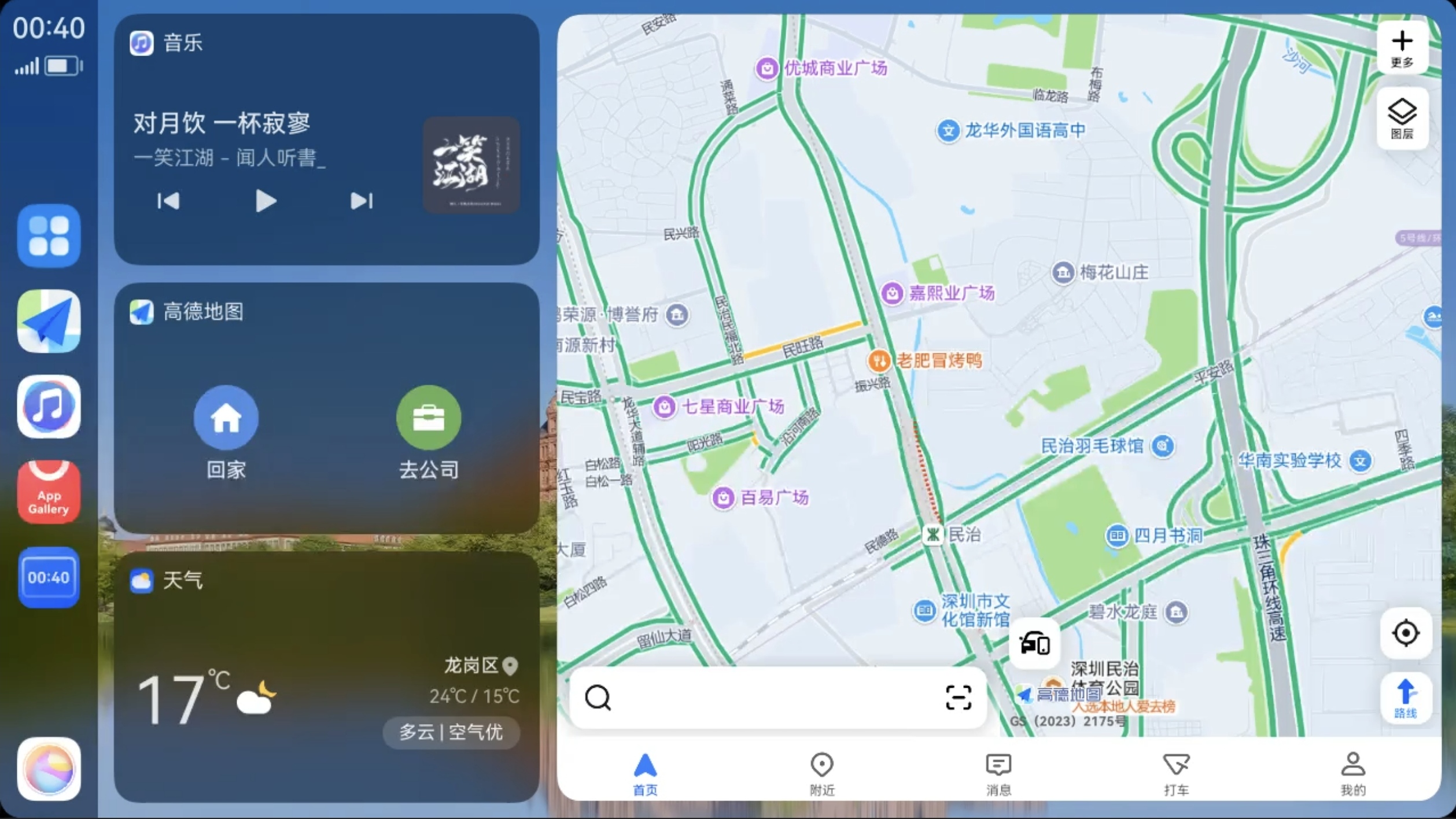
Cards mainly include the following categories:
- Map Card: Displays map app shortcuts, such as "Go Home", "Go to Company", and navigation summary information during navigation.
- Audio Card: Displays audio app shortcuts, including previous track, play/pause, and next track.
- Calendar Card: Displays the day's schedule information from the calendar app.
- Weather Card: Displays weather information for your current location from the weather app.
- Smart Recommendation Card: Displays app recommendations, tips, and other information.
tip
Cards are automatically generated and sorted by the system, requiring no manual intervention. This also means you cannot manually adjust the display order of cards.
Card Editing
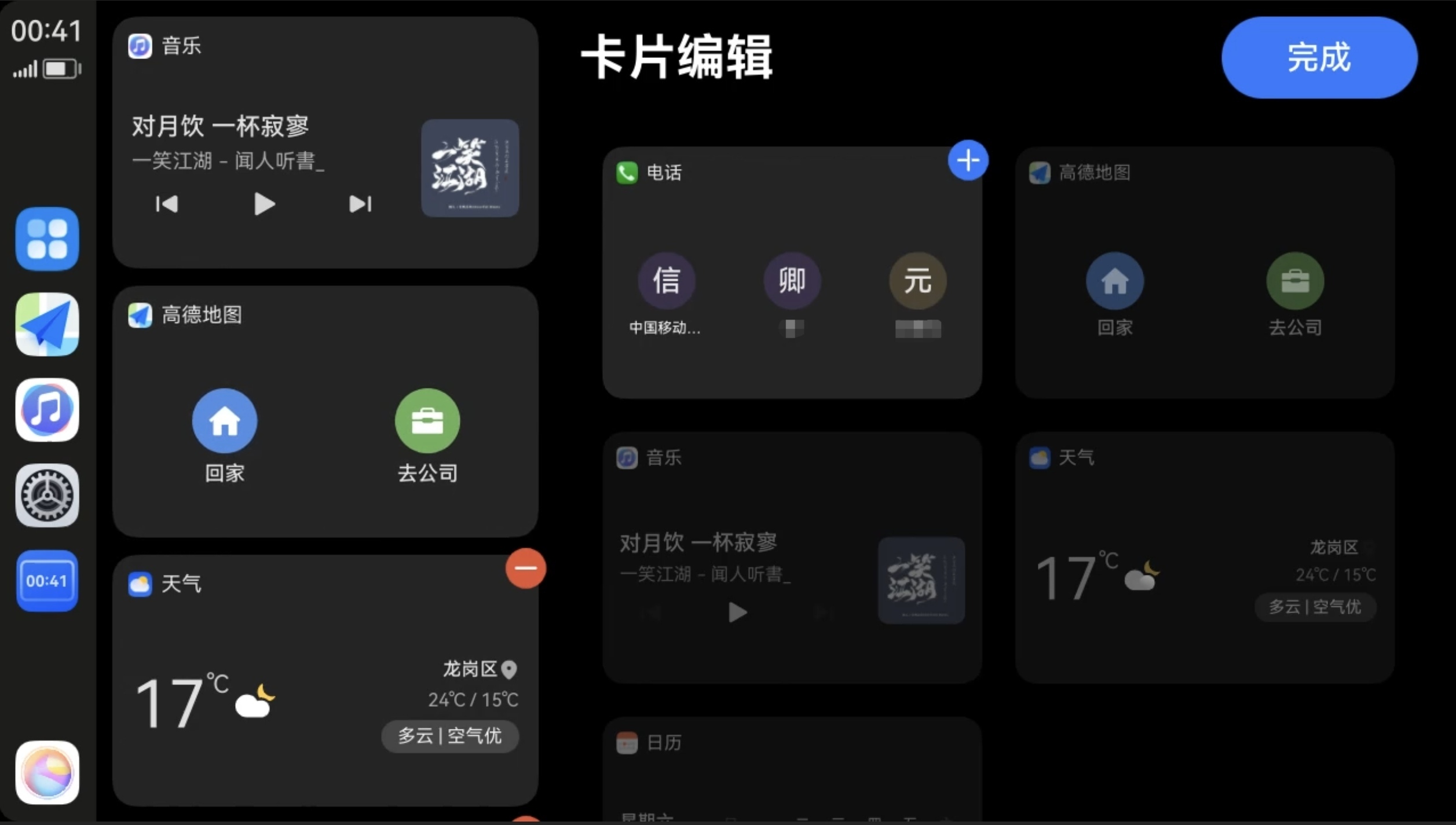
Long-press a desktop card to enter the card editing page. You can quickly edit cards by tapping the add and delete buttons in the upper right corner of the card.